
How Students Build Digital Portfolios Using PDF Files for School and College Applications
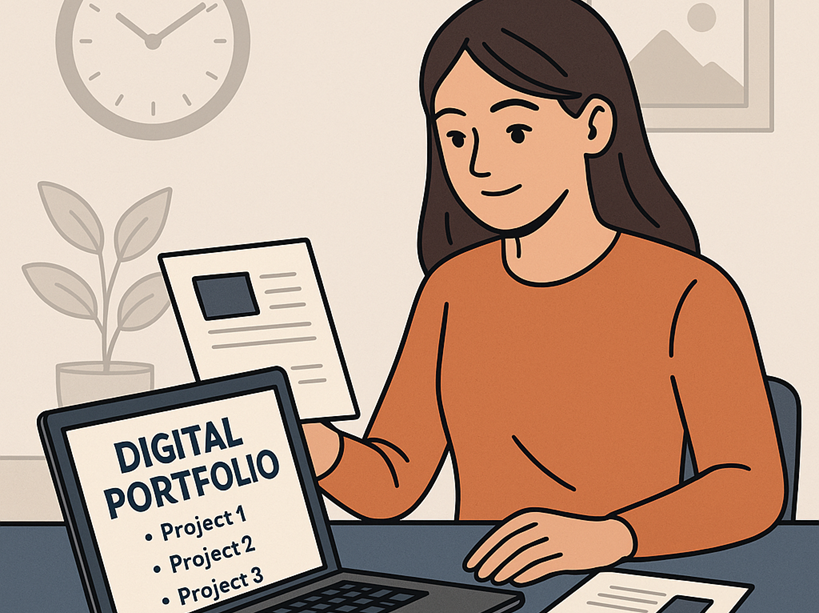
Digital portfolios have become an essential part of modern education. From middle school assignments to high school capstone projects and college applications, students are now expected to present their work in clear, organized digital formats. Among all file types, PDFs have become the universal standard due to their consistency, compatibility, and professional appearance. Many students rely on tools offered by platforms like PDFmigo.com to combine, refine, and organize their work into polished digital portfolios that showcase their achievements effectively.
Why Digital Portfolios Are Important
A digital portfolio is more than a collection of assignments—it is a curated showcase of a student’s growth, interests, strengths, and skills. Schools are adopting portfolio-based learning because it encourages reflection, creativity, and long-term learning. Colleges and scholarship committees often request digital portfolios to evaluate academic performance, writing ability, artistic talent, or technical skills.
PDF portfolios provide a stable, readable, and professional way to present work. They allow students to highlight projects across multiple subjects, including:
- Essays and writing samples
- Science labs and research reports
- Mathematics projects and data analyses
- Artwork or photography collections
- Internship reflections and career exploration projects
- Certificates, awards, and transcripts
Using PDFs ensures that formatting, fonts, images, and layout remain consistent, no matter where the portfolio is viewed.
The Structure of an Effective Student Portfolio
A strong digital portfolio follows a clear, logical structure. It typically begins with a cover page containing the student’s name, grade level, school, and academic year. Next comes a table of contents, followed by organized sections such as:
- Academic Work
- Projects and Research
- Creative Work
- Extracurricular Activities
- Awards and Certificates
- Personal Statement or Reflection
Each section may include multiple items. To keep everything neatly presented, students often combine different files into a single PDF using tools that allow them to merge PDF.
Collecting and Preparing Portfolio Materials
Many student projects begin in different formats. Essays may be created in Google Docs, while slideshows exist in PowerPoint. Science labs might be handwritten and scanned. Art projects may be photographed. Turning these mixed formats into a unified PDF portfolio requires thoughtful preparation.
Students often convert:
- Slides into PDF to preserve design
- Scanned artwork into PDF with clean borders
- Photos into single-page PDF layouts
- Handwritten work into pages with enhanced lighting
During preparation, some files include extra or irrelevant pages. Tools that allow students to split PDF help remove unneeded content, keeping the portfolio clean and professional.
Showcasing Growth and Reflection
One of the greatest strengths of digital portfolios is the ability to show progress over time. Students can include early drafts, revised versions, and final projects to demonstrate improvement. Reflections also play an important role, allowing students to explain:
- What they learned
- How they overcame challenges
- How the assignment shaped their skills or interests
Including reflections between portfolio sections helps reviewers understand the student’s voice and thought process.
Using Visuals and Multimedia (Within PDF Limits)
While portfolios can include multimedia elements, PDF remains the preferred format because it ensures consistent presentation. Students often embed:
- Images with captions
- Screenshots of digital work
- Charts and graphs
- Diagrams or design blueprints
By carefully formatting pages, students control how their work is viewed. Teachers often remind students to avoid overly heavy images that increase file size unnecessarily.
Technical Tips for a Clean Portfolio
A good portfolio should be visually appealing and easy to navigate. Students benefit from:
- Consistent font choices
- Clear section headings
- Numbered pages
- Balanced spacing and margins
- A concise table of contents
PDF files allow consistent formatting that displays correctly on laptops, tablets, and phones. Some students create templates for future portfolios to keep the design uniform year after year.
Submitting Portfolios to Colleges or Programs
Many programs—including art schools, magnet programs, and scholarship foundations—prefer digital PDF submissions. A single, well-organized PDF portfolio prevents the admissions committee from having to open multiple files.
Before submission, students should:
- Check file size limits
- Ensure images load correctly
- Verify all text is readable
- Confirm hyperlinks (if any) are functional
- Preview the PDF on multiple devices
Because PDF files maintain clarity, they appear professional on all systems.
Long-Term Benefits of Maintaining a Portfolio
Digital portfolios are not only useful for school—they help students prepare for future careers. High school students use portfolios to apply for internships, tech programs, art schools, engineering competitions, and volunteer opportunities. College students use them for job applications, graduate school, and freelance work.
A consistent PDF portfolio showcases:
- Communication skills
- Creativity
- Technical ability
- Professionalism
- Attention to detail
Students who update their portfolios each semester develop valuable habits that pay off long after graduation.
Conclusion
Digital portfolios have become a powerful tool for students to demonstrate their skills, growth, and achievements. By organizing their work in clear PDF files, students present a polished and professional narrative of their learning journey. Tools that help them merge PDF and split PDF are essential for creating streamlined and effective digital portfolios that stand out in academic and career settings.